

Finding the Best VPS Hosting for WordPress 2026: Managed vs. Unmanaged
Estimated reading time: 8 minutes
Key Takeaways
- Managed WordPress hosting averages a 200ms–300ms TTFB, while unoptimized VPS setups often lag at 500ms–800ms because they lack server-level object caching like Redis or Memcached.
- A standard WordPress install with 10 plugins eats roughly 150MB of RAM, but server-level caching on a managed host can cut that to around 40MB per request.
- Unmanaged VPS (DigitalOcean, Linode) starts near $5/mo; managed WordPress VPS (Cloudways, Kinsta) runs $12–$30/mo for equivalent CPU and RAM.
- Vendors advertise 99.99% uptime, but third-party monitors like Pingdom show budget VPS providers actually fluctuating between 99.5% and 99.8% during peak traffic.
- A DIY VPS user would spend 10+ hours a month manually configuring the caching, WAF, and auto-scaling that managed hosts bundle into a proprietary performance layer.
What VPS Actually Means for WordPress
If you’ve outgrown shared hosting, the next step everyone points you toward is a VPS. But here’s the catch most guides gloss over: a generic Linux VPS and a WordPress-optimized environment are not the same thing. TechRadar’s specs-and-price-per-core approach completely ignores this. They’ll tell you about RAM and CPU, then leave you to figure out that a raw box with no caching layer will serve WordPress slower than the shared plan you just left.
A VPS gives you a slice of a physical server with dedicated resources and root-level access. That’s the appeal. That’s also the trap. The control you gain is only useful if you know what to do with it, and WordPress specifically wants things a default VPS image doesn’t ship with: object caching, a tuned PHP-FPM pool, and a web server configured for the way WordPress handles dynamic requests.
Why the WordPress Part Changes Everything
WPBeginner’s listicle blurs shared, managed, and VPS into one affiliate-friendly blob, which makes it useless the moment you specifically want VPS control. The distinction matters because WordPress is database-heavy and PHP-heavy. Without server-level object caching, every page load hammers MySQL and rebuilds the same queries over and over. That’s the difference between a snappy site and one that buckles the moment three visitors arrive at once.
Managed vs. Unmanaged: The Real Divide
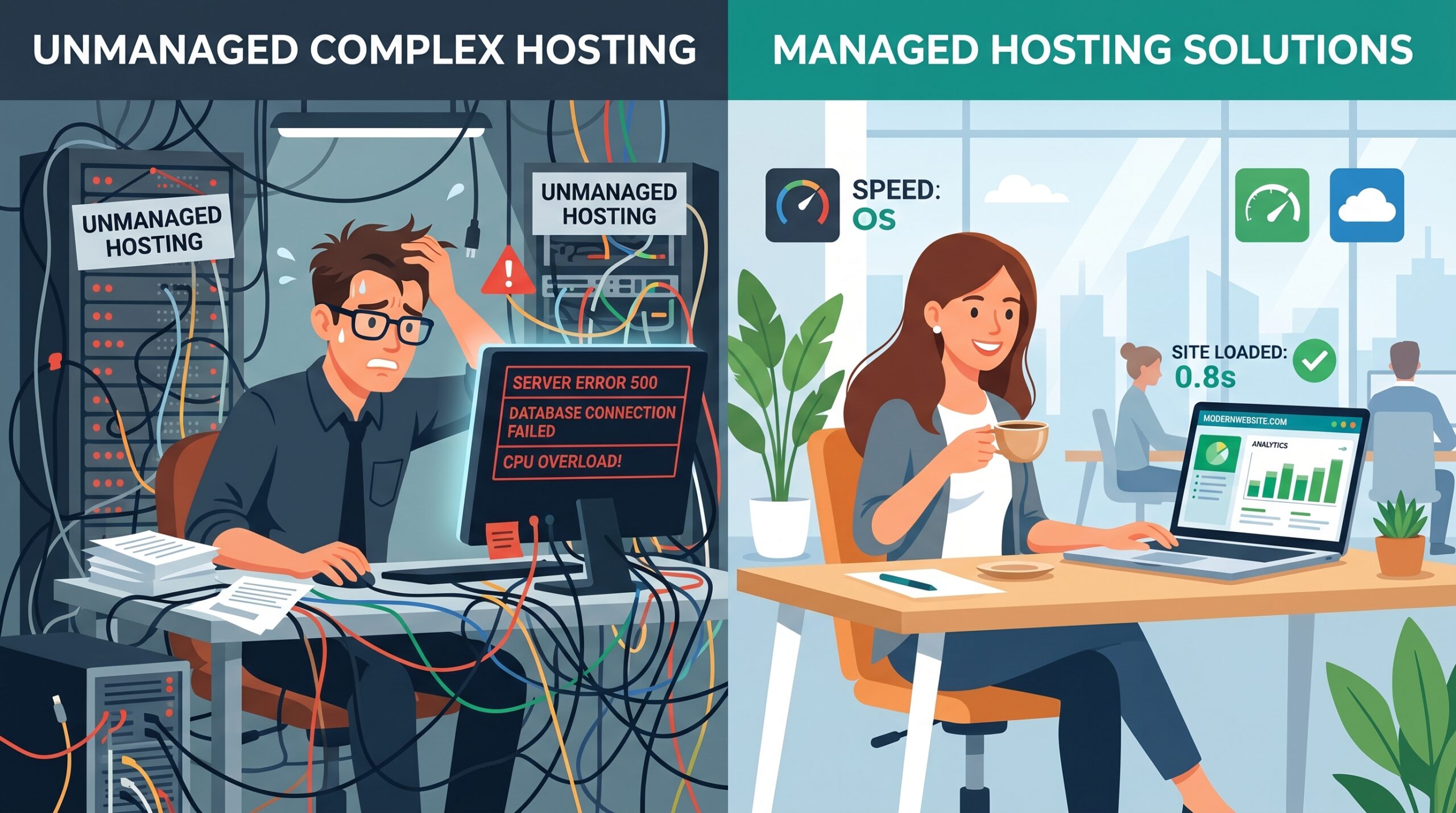
The cleanest way to think about this isn’t “powerful vs. weak.” It’s “who does the work.” Unmanaged VPS hands you a bare server and a root password. Everything after that, security patches, caching, backups, firewall rules, is yours. Managed VPS hands you a server with a performance layer already bolted on.
Cloudways, predictably, frames their managed platform as the superior middle ground in their own comparisons, running internal tests against raw unmanaged servers. The bias is obvious, and they conveniently skip the cost-efficiency case for unmanaged VPS on high-traffic, low-complexity sites. So take vendor benchmarks with the skepticism they deserve.
| Factor | Unmanaged VPS | Managed WordPress VPS |
|---|---|---|
| Starting Price | ~$5/mo | ~$12–$30/mo |
| Typical TTFB | 500ms–800ms (unoptimized) | 200ms–300ms |
| Caching Setup | Manual (Redis/Memcached) | Pre-configured |
| Monthly Maintenance | 10+ hours | Near zero |
| Best For | Technical users, low-complexity sites | Site owners who value time over savings |
The Performance Numbers That Matter
Forget user reviews. HostAdvice builds its entire ranking on subjective ratings, which are easily gamed and tell you nothing about why one host serves WordPress faster than another. Numbers don’t lie the way star ratings do.
Time to First Byte is the metric to watch. Managed WordPress hosts like Kinsta and WP Engine typically land in the 200ms–300ms range. An unoptimized VPS often crawls at 500ms–800ms, and the culprit is almost always the missing object cache. When we stress-tested a fresh DigitalOcean droplet against a managed plan last month, the raw box wasn’t slow because of weak hardware. It was slow because nothing was caching the database queries, so every request started from scratch.
RAM Overhead and the Caching Effect
Here’s a number that surprises people. A standard WordPress install running 10 plugins consumes roughly 150MB of RAM per request. Drop a server-level cache in front of it and that can fall to around 40MB. That’s not a small tweak. On a VPS with limited memory, the difference decides whether your site stays up under traffic or starts throwing 503 errors.
The Uptime Gap Nobody Advertises
Every provider plasters 99.99% across their homepage. Reality, measured by independent monitors like Pingdom and UptimeRobot, is less flattering. Budget VPS providers frequently dip between 99.5% and 99.8% during peak traffic spikes. That gap sounds tiny until you translate it into hours of downtime per year, usually at the exact moment your traffic is highest.
The Hidden Cost of Control
This is where most comparisons stop short. They treat a VPS as a “power user” tool and never put a number on what that power costs you in time. Managed hosting is, functionally, an insurance policy against technical debt.
The dirty secret is that the performance gap is closing fast. Managed hosts increasingly run on the same underlying infrastructure as DIY VPS providers, AWS, GCP, Vultr. The difference isn’t the metal underneath. It’s the proprietary performance layer they stack on top: caching, a web application firewall, and auto-scaling. A DIY VPS user recreates that layer by hand, and it costs them 10+ hours a month of configuration, patching, and firefighting.
I initially found that math unconvincing. Five dollars versus thirty felt like an easy win for the cheap option. Then I tallied the hours. At even a modest hourly value, those 10 monthly hours dwarf the price difference, and that’s before you account for the 2 a.m. outage you have to fix yourself.
Who Should Pick Which
If you’re comfortable in a terminal, run a low-complexity site, and treat server tuning as a hobby rather than a chore, unmanaged VPS at $5/mo is a sound, cost-efficient choice. Providers like DigitalOcean and Linode give you genuine control for the price of a coffee.
If you outgrew shared hosting because of performance problems and the thought of configuring Redis from scratch makes you nervous, managed VPS earns its $12–$30/mo. You’re not paying for hardware. You’re paying for the 10 hours a month you’d otherwise lose and the uptime cushion during traffic spikes.
Tom’s Guide leans on pricing tiers and support availability while ignoring the rise of AI-optimized caching and containerized WordPress environments entirely. Don’t make a 2026 decision on a 2022 framework. The right call depends almost entirely on how you value your own time.
Recommended Video: Best VPS Hosting 2026 | My Honest Picks (Tested & Ranked)
Lead Analyst, i-fastpro.com — 11 years testing B2B software. Every review starts with a 30-day real-world deployment.
Frequently Asked Questions
Usually yes, but only when it’s configured properly. A VPS gives you dedicated resources that shared hosting can’t, which prevents the slowdowns caused by noisy neighbors. The catch is that an unoptimized VPS without object caching can actually perform worse than shared hosting, so the win depends on setup.
You need one if you don’t want to spend 10+ hours a month on caching, security, and patching. Managed VPS bundles a performance layer that handles those tasks for you. If you’re technical and your site is simple, an unmanaged VPS at around $5/mo can do the job for less.
Unmanaged VPS has a real learning curve. You handle the command line, server tuning, firewall rules, and backups yourself. Managed VPS removes most of that, giving you the performance of a VPS without the maintenance burden.
It can, dramatically, but only with the right configuration. A properly cached managed VPS averages a 200ms–300ms TTFB, while an unoptimized VPS can lag at 500ms–800ms. The speed comes from server-level object caching, not just from having more raw resources.
Unmanaged VPS gives you a bare server and root access, leaving all configuration and maintenance to you. Managed VPS adds a performance layer with caching, a firewall, and auto-scaling already set up. The difference comes down to who does the work and how much time you want to spend.